Your cart is empty
Add a ChronoPad to protect your MacBook and complete your setup.
Browse ChronoPads

Quick answer
Which MacBook do I have? Click the Apple menu in the top-left corner and choose About This Mac. The first line shows the model name with the screen size and the year in brackets, for example “MacBook Air (13‑inch, M4, 2025)” or “MacBook Pro (14‑inch, 2024)”. If the Mac will not start, the serial number on the underside tells you the same thing.

That one line answers most questions: which charger, which case, which accessories fit. Below is how to read that line, every MacBook Air and MacBook Pro since 2021, and what the size means for anything that has to fit the laptop exactly.

Apple menu → About This Mac. The first line is the model name, the line below it the chip (M1, M2, M3, M4 or M5), followed by memory and the serial number.
On recent versions of macOS the same details are under System Settings → General → About. Apple describes both routes in Find your Mac model name and serial number.
The serial number is printed on the underside of the MacBook, near the regulatory markings, and on the barcode label of the original box. Enter it on Apple’s Check Coverage page and you get the exact model back.
If you are signed in with your Apple Account on another device, the Devices list on account.apple.com shows it too. One catch: after a logic board repair the printed serial number can differ from the one the Mac reports.
No box, no serial, a laptop that will not boot? Apple keeps two identification pages with photos and port layouts: Identify your MacBook Air model and Identify your MacBook Pro model. A quick shortcut:
The name has three parts, and each one matters for a different purchase.
Apple changed the shape of the MacBook Air in 2022 (the flat design replaced the wedge of the M1 model from 2020) and the MacBook Pro 14″ and 16″ in 2021.
Since those redesigns, the outer dimensions within each size have stayed the same, which is why accessories made for one generation usually fit the next. The figures below come from Apple’s identification pages and technical specifications.
MacBook Air 13″
Chips and yearsM2 2022, M3 2024, M4 2025, M5 2026
Outer size (W × D)30.41 × 21.5 cm
ColoursMidnight, Starlight, Silver, Space Gray (to M3), Sky Blue (M4 and later)
MacBook Air 15″
Chips and yearsM2 2023, M3 2024, M4 2025, M5 2026
Outer size (W × D)34.0 × 23.8 cm (M5)
ColoursAs the 13″
MacBook Pro 14″
Chips and yearsM1 Pro/Max 2021, M2 Pro/Max 2023, M3 2023, M4 2024, M5 2025–2026
Outer size (W × D)31.26 × 22.12 cm
ColoursSilver, Space Gray (to M2, base M3), Space Black (M3 Pro/Max and later)
MacBook Pro 16″
Chips and yearsM1 Pro/Max 2021, M2 Pro/Max 2023, M3 Pro/Max 2023, M4 Pro/Max 2024, M5 Pro/Max 2026
Outer size (W × D)35.57 × 24.81 cm
ColoursSilver, Space Gray (to M2), Space Black (M3 Pro/Max and later)
MacBook Air (M1, 2020)
Chips and yearsM1 2020
Outer size (W × D)Wedge design, 30.41 × 21.24 cm
ColoursGold, Silver, Space Gray
Two practical consequences:
Key takeaway
For anything that has to fit the deck, the screen size is the size. The chip and the year matter for software, not for millimetres.
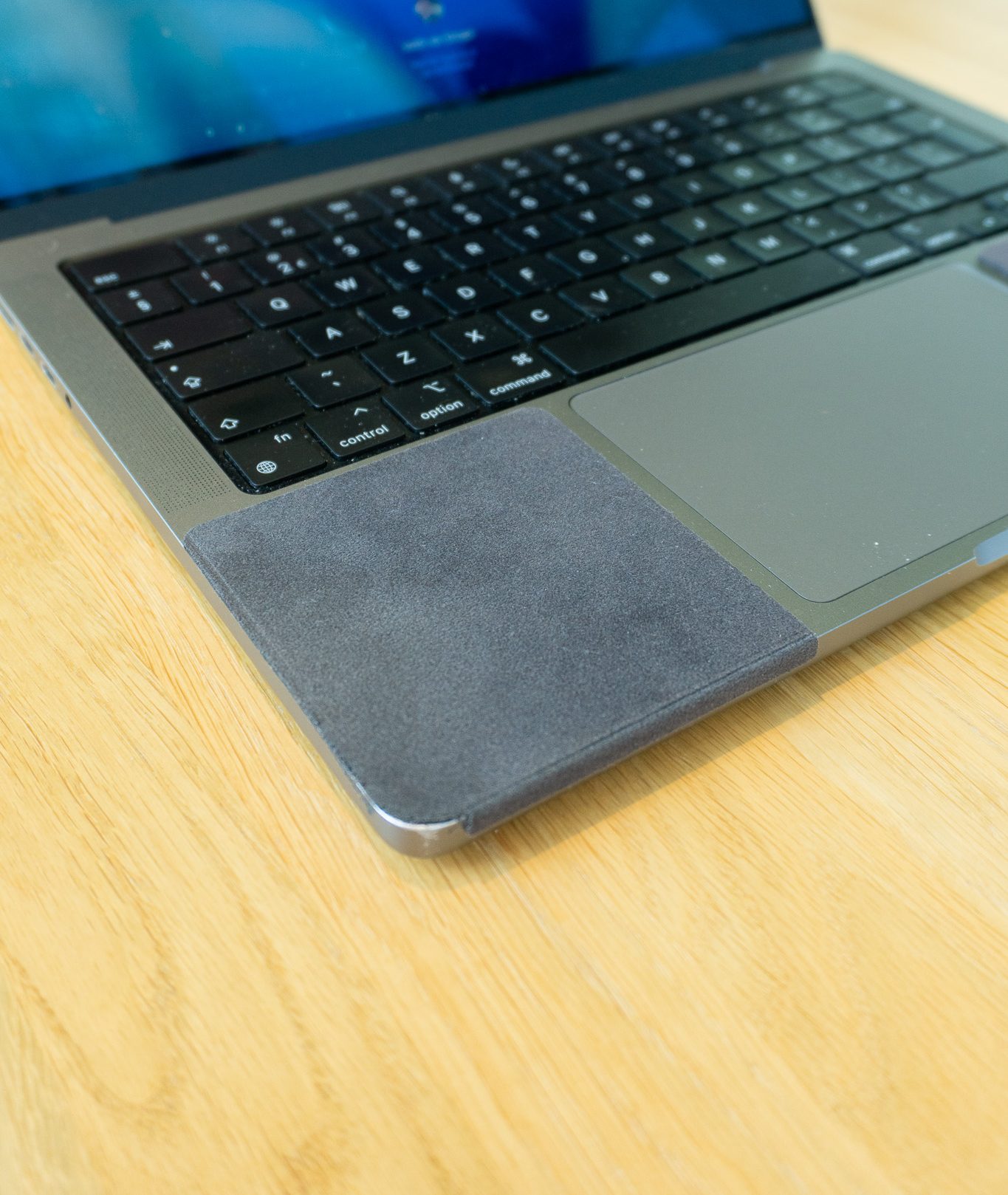
A case or a sleeve only needs the outer dimensions. A palm rest protector has to fit the two areas on either side of the trackpad, between the edge of the keyboard and the front lip of the laptop, and those areas are different on each MacBook size.
That is why a ChronoPad® is made per size rather than as one universal sheet. Each set holds two pads, one for the left and one for the right of the trackpad, 3 mm thick, shaped to the millimetre for that deck and colour-matched to the aluminium.

ChronoPad® palm rest protector
Found your size? Two 3 mm pads, shaped to the millimetre
Colour-matched, removable without residue. €32,95 per set.
Air 13″ setPro 14″ setPro 16″ set
MacBook Air 13″
Size per pad83 × 86 mm
ColoursMidnight, Silver
MacBook Pro 14″
Size per pad86 × 86 mm
ColoursSpace Black, Silver
MacBook Pro 16″
Size per pad93 × 105 mm
ColoursSpace Black, Silver
MacBook Air 15″
Not sure, or not on a MacBook at all? Laptop makers do not publish the size of the area next to the trackpad, so for a Windows laptop the honest answer is to measure it.
The laptop palm rest protector size finder takes your width and depth in millimetres and tells you which set fits, or that none does.
Key takeaway
Fastest route: Apple menu, About This Mac. The first line shows the model, the screen size and the year.

Found your model? Pick your set
Two colour-matched 3 mm pads for the MacBook Air 13″, MacBook Pro 14″ or MacBook Pro 16″, €32,95 per set, removable without residue.
Choose your sizeShop ChronoPad®Click the Apple menu and choose About This Mac. The first line shows the model, screen size and year, for example MacBook Pro (14‑inch, 2024). If the Mac will not start, enter the serial number from the underside on checkcoverage.apple.com.
The screen size is part of the model name in About This Mac. A MacBook Air is 13″ or 15″, a current MacBook Pro is 14″ or 16″.
Yes. According to Apple’s technical specifications, every MacBook Pro 14″ from 2021 to 2026 measures 31.26 × 22.12 cm, and every MacBook Pro 16″ measures 35.57 × 24.81 cm.
Match the screen size: the 13″ set fits the MacBook Air 13″, the 14″ set the MacBook Pro 14″ and the 16″ set the MacBook Pro 16″. A set for the MacBook Air 15″ is coming soon.
ChronoPad® is an independent brand and is not affiliated with, endorsed by or sponsored by Apple or any other brand mentioned.

Read article

Read article

Coming soon
Leave your details and we will let you know as soon as the ChronoPad for the is available.
"*" indicates required fields