Your cart is empty
Add a ChronoPad to protect your MacBook and complete your setup.
Browse ChronoPads

When people talk about MacBook sharp edges, they mean the front lip of the palm rest and the small notch cut into it for opening the lid. Apple machines the aluminium body with a crisp, thin front edge, and when you type with your wrists resting on the deck, that edge turns into a pressure line across the underside of your wrist. It is not a defect. It is contact stress, and there are a few honest ways to deal with it, from free to permanent.
Two things work together: a thin, straight front edge, and a typing position in which the wrist drops below the level of the deck. On a normal desk the keyboard of a laptop sits higher than the desk surface, so your forearm angles up and your wrist bends over the lip to reach the keys. All the weight of your hand then rests on a line a few millimetres wide.
Ergonomists have a name for this. The US Occupational Safety and Health Administration describes how hard, angled leading edges on desks and computer equipment press on the arm or wrist and create contact stress, which can affect nerves and blood vessels and cause tingling or sore fingers.
A few minutes on the edge is nothing. Hours of it is different: the pressure stays on the same narrow line, your posture stops changing, and a warm, slightly sweaty wrist sticks to the aluminium instead of sliding over it. That is why the edge often feels fine in the morning and annoying by the afternoon.

| Fix | What it changes | Cost and trade-off |
|---|---|---|
| Float your wrists while typing | No contact with the edge at all | Free; tiring until it is a habit |
| Adjust chair and desk height | Forearm level with the deck | Free; depends on your furniture |
| Laptop stand and external keyboard | Wrists out of reach of the deck | A stand and keyboard; not for a café |
| A soft layer on the palm rest | Heel of the hand on foam, not metal | ChronoPad®; does not round the edge |
| Sanding or filing the edge | Rounds the lip permanently | DIY; irreversible, cuts the finish |
Apple’s own Mac ergonomics guidance asks for a light touch, relaxed hands and a wrist and hand in roughly a straight line. If your wrists hover while you type and only rest during pauses, the edge has nothing to press on. It is the best fix and the hardest one to keep up during a long session.
Raise your chair or lower your desk until your forearm is roughly level with the keyboard. The less your wrist has to climb, the less it bends over the lip. Cornell University’s ergonomics group makes a blunt point in its tips for laptop users: if you work on a laptop full-time, use a separate keyboard and mouse and raise the laptop on a stable support so the screen is at eye level.
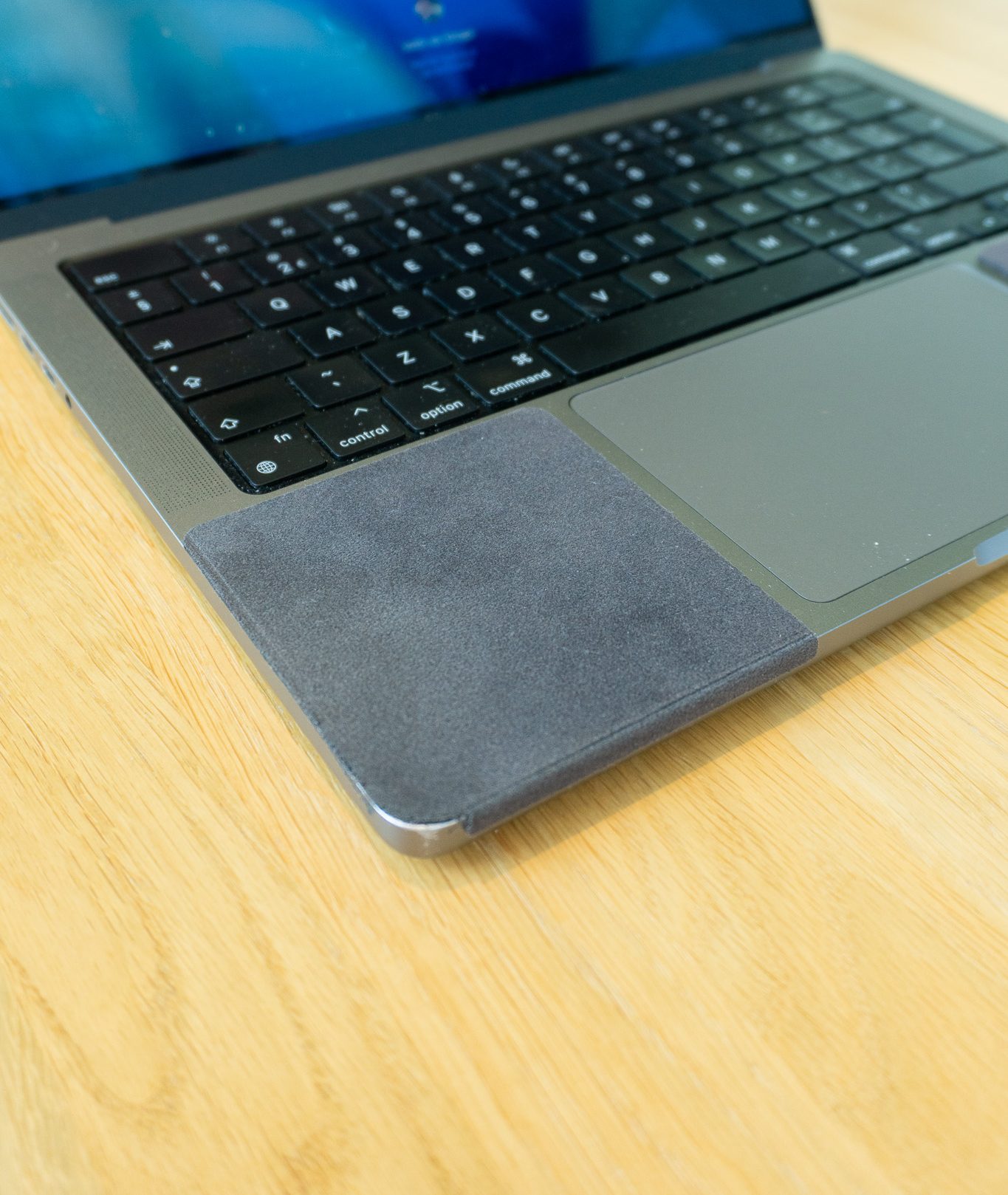
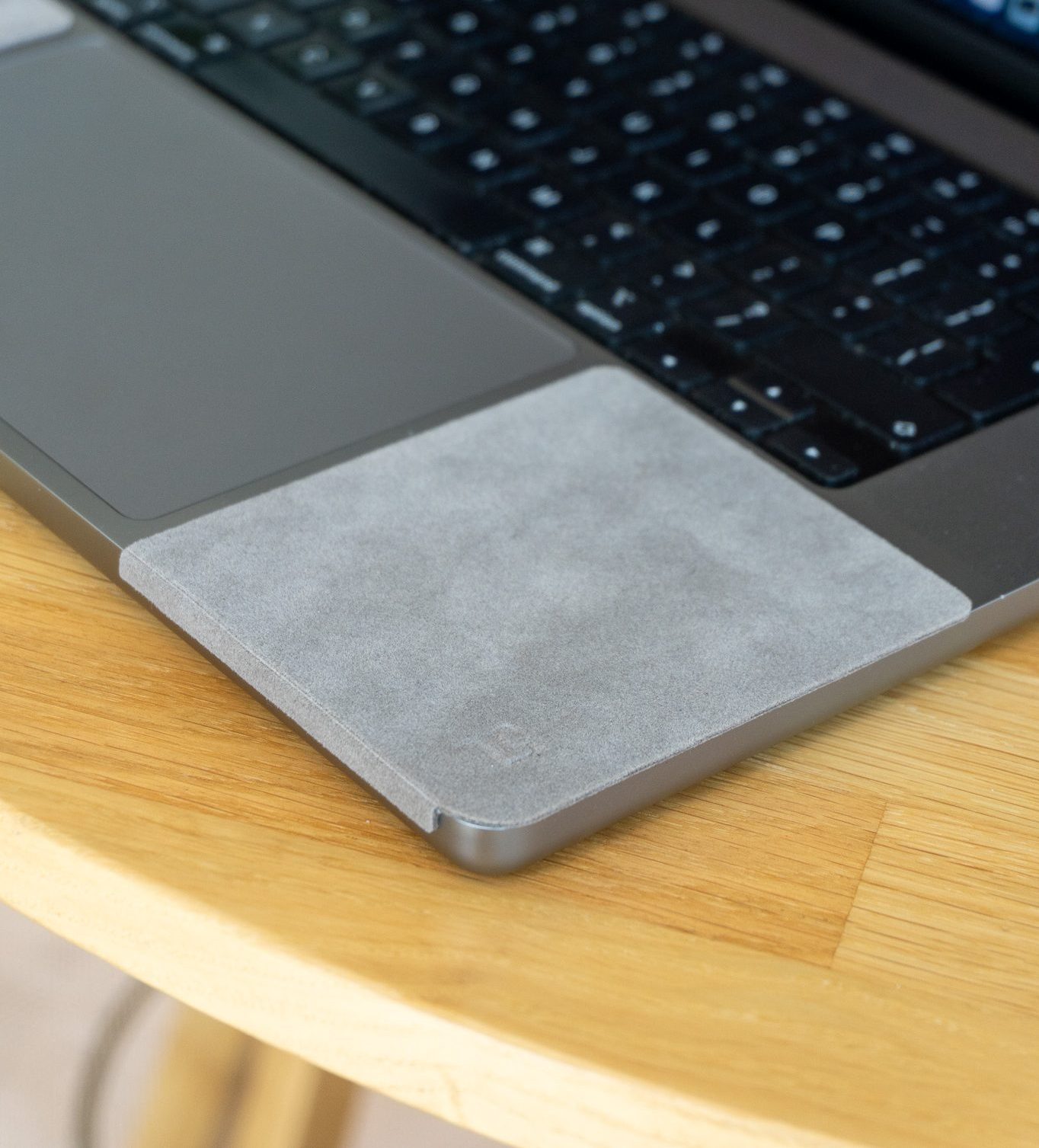
A ChronoPad® does not change the edge. What it changes is the surface in front of it: the heel of your hand rests on 3 mm of microfibre and closed-cell foam, which spreads the pressure over a wider area and lifts it slightly off the metal. For many people that is enough to stop noticing the edge. It also keeps a watch bracelet off the aluminium, which is what we made it for in the first place.

Online you will find people who sand or file the front edge round. It works, and you cannot undo it. Filing cuts through the anodised layer into bare aluminium, the result is visible, and scratches and dents count as cosmetic damage that Apple’s warranty does not cover. It also shows up the moment you sell the MacBook. We do not recommend it.
The edge is not the problem on its own. The edge plus a dropped wrist is.
A classic laptop wrist rest sits in front of the machine; a palm rest pad sits on it. Either way, the OSHA guidance on wrist and palm supports is worth following: rest the heel of your hand rather than the wrist itself, and use the support during pauses rather than pressing down on it while you type. A soft surface helps, but it does not replace a good posture.
If you have a MacBook Air 13″, MacBook Pro 14″ or MacBook Pro 16″, a ChronoPad® is cut for your deck; see the MacBook palm rest protector page for the exact sizes. For other laptops, measure your palm rest first and compare it with the three sizes, because screen size tells you very little about palm rest depth.
One honest note: if you have pain, numbness or tingling that does not go away after you change your setup, see a doctor or a physiotherapist. A pad is comfort, not treatment.
Give your wrists something softer than aluminium
A 3 mm microfibre and foam pad on each side of the trackpad, €32,95 per set for the 13″, 14″ and 16″ MacBook. Another laptop? Measure your palm rest first.
Check the size for your laptopShop ChronoPad®MacBooks are machined from a single block of aluminium with a thin, crisp front edge and a small notch for opening the lid. It is a design choice that makes the laptop look slim. Whether you feel it depends mostly on your desk height and how your wrist meets the deck.
It can cause discomfort. OSHA describes contact stress from hard leading edges as pressure on nerves and blood vessels that can lead to tingling and sore fingers. Changing your posture is the first step; see a professional if symptoms continue.
You can, but it is permanent, it removes the anodised finish and exposes bare aluminium, and cosmetic damage is not covered by Apple’s warranty. It also lowers the resale value. A soft layer on the palm rest is reversible.
It helps with the pressure, not with the edge itself. The heel of your hand rests on 3 mm of microfibre and foam instead of on aluminium, which spreads the load. If your wrist drops far below the deck, fix the height first.
Both have a thin front edge. In practice, desk height, chair height and how long you type make a bigger difference than the model.

Read article

Coming soon
Leave your details and we will let you know as soon as the ChronoPad for the is available.
"*" indicates required fields