Your cart is empty
Add a ChronoPad to protect your MacBook and complete your setup.
Browse ChronoPads

Quick answer
A case, sleeve or skin protects the outside of a new MacBook from bags, desks and knocks. None of them covers the part you touch all day, the palm rest. A sensible first-week set for a new MacBook is a sleeve for transport, a skin if you want one, a pad on the palm rest, and a clean routine that follows Apple’s own advice.

“Protective case” means three different things when you search for one, and each leaves something bare.
Padded sleeve
What it coversEnough for transit if it is sized to your exact model. A sleeve cut for a 14″ Pro is too loose on a 13″ Air.
Watch out forIt protects the Mac only while it is inside the sleeve.
Hard-shell case
What it coversProtects the lid and base from impact.
Watch out forIt adds weight and can trap grit against the aluminium. It does nothing for the palm rest.
Skin
What it coversA thin vinyl film that resists bag and desk scuffs and can change the look of the lid and base.
Watch out forOn the palm rest it tends to wear and lift first, and it gives little cushioning against a metal bracelet.
Our post on the best MacBook accessories sorts accessories by the problem they solve, and the comparison of skins and palm rest protectors goes deeper on the skin question. This post is about the order of doing things when the Mac is new.
The palm rest is where skin, sweat, rings and watch bracelets meet anodised aluminium, every day, from the first hour. A case never touches that area when you are working.

Four ways to keep an Apple Watch and a MacBook unmarked
Wear a soft band
A Solo Loop or Sport Loop puts nothing hard on the underside of your wrist.
Tighten it a notch
A snug band keeps the case edge off the deck while you type.
Keep both clean
Grit does more damage than metal. Use a lint-free cloth, no sprays or abrasives.
Add a soft layer
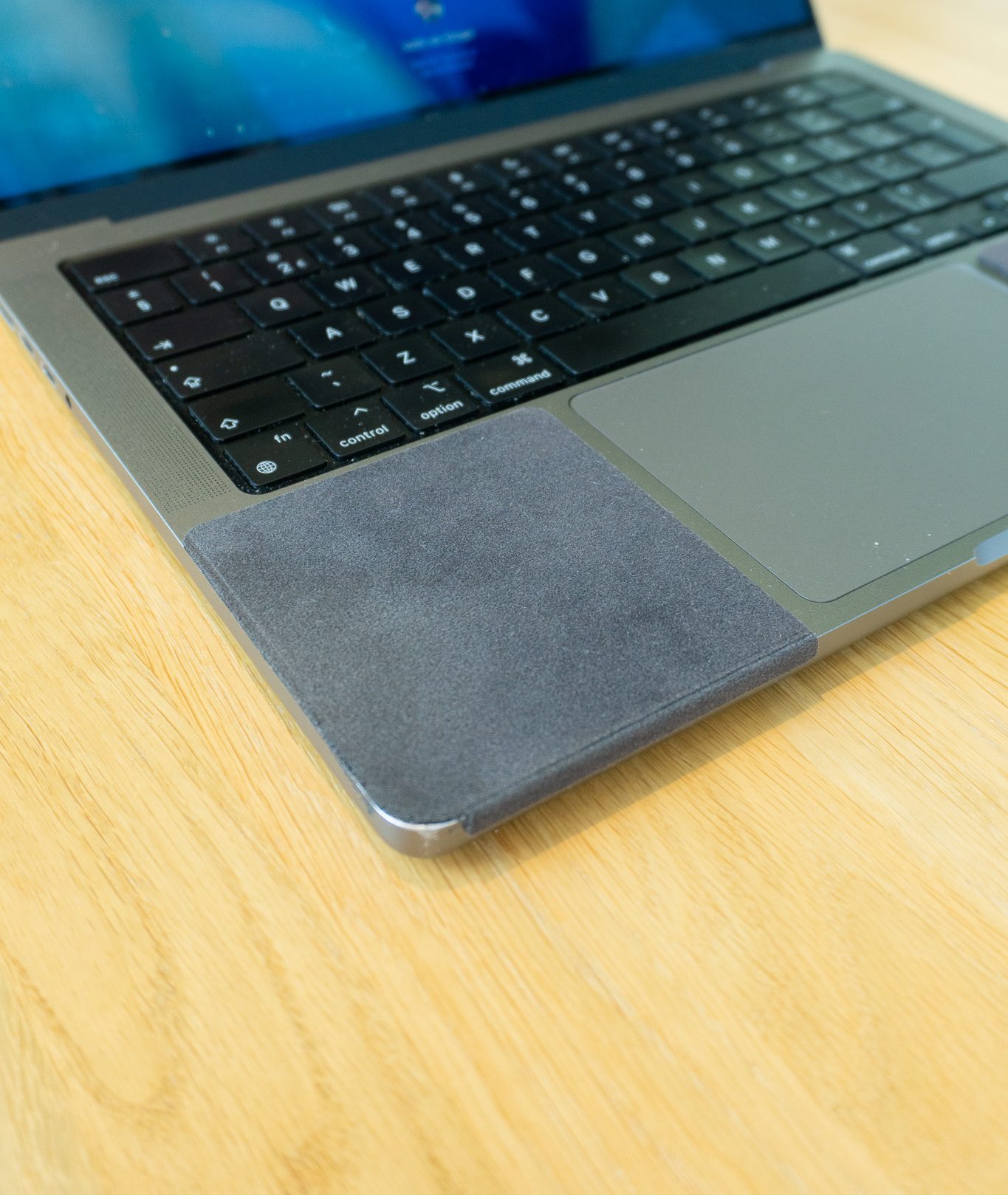
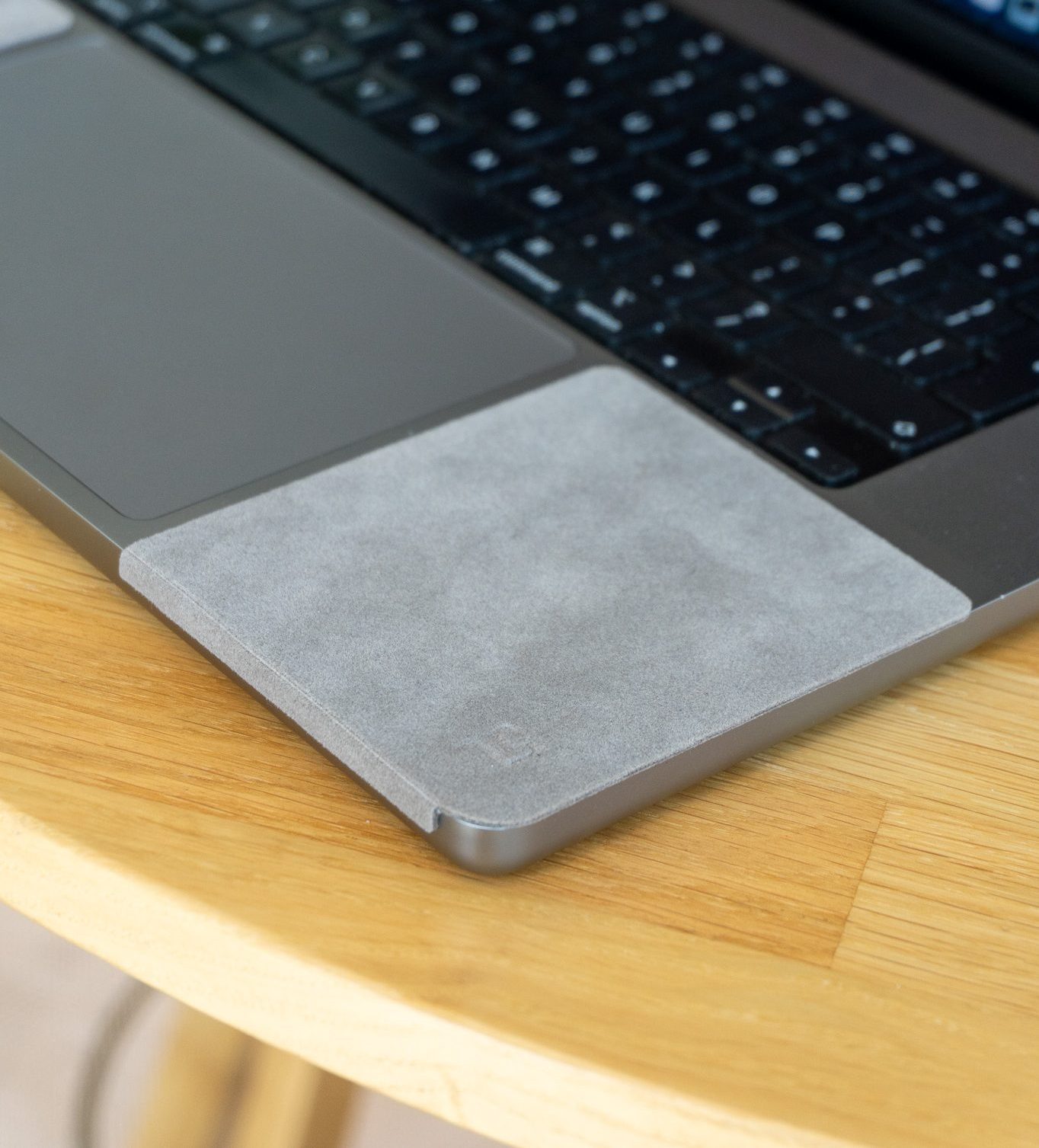
A 3 mm ChronoPad® microfibre between the band and the aluminium.
The marks from a watch are covered in our post on whether an Apple Watch scratches a MacBook, and the reasons the area wears at all are in why the palm rest scuffs.
It matters for resale too. Cosmetic wear is what a buyer sees first, which we cover in what scratches cost you when you sell your MacBook. Wear that has not happened yet is the only kind you can prevent for the price of a pad.
If you do buy a case or sleeve, a few checks keep it from causing the damage it is meant to prevent.
None of this changes the palm rest question. A good sleeve and a pad answer two different problems, one in the bag and one at the desk.

ChronoPad® palm rest protector
A sleeve for the bag, a pad for the desk
3 mm microfibre pad on the palm rest. €32,95 per set.
Air 13″ setPro 14″ setPro 16″ set
Key takeaway
A case protects the outside and a sleeve protects the bag. The palm rest is the one area neither covers, and wear that has not happened yet is the only kind you can prevent.
ChronoPad makes pads for the MacBook Air 13″, the MacBook Pro 14″ and the MacBook Pro 16″. A 15″ Air is listed as coming soon. Each pad is 3 mm thick, with a polyester microfibre top layer over a closed-cell foam core and a removable acrylic adhesive. A set is two pads, leaving 3 mm to the keyboard and 5 mm to the trackpad.
The price is €32,95 including VAT per set. The MacBook palm rest protector page lists all sizes and colours, and the shop has the current stock.
Cover the part no case covers
Two colour-matched 3 mm pads for the MacBook Air 13″, MacBook Pro 14″ or MacBook Pro 16″, €32,95 per set.
Choose your sizeShop ChronoPad®Not necessarily. If your Mac mostly lives on a desk, a case adds little, while a sleeve for the bag and protection for the palm rest cover the two places that wear in daily use. Our accessories guide makes the same point: buy an accessory only if you can name the problem it solves.
Yes. It will cover existing wear and prevent more, but it does not reverse it. Wipe the palm rest clean and dry first.
ChronoPad says it lifts off without residue when used correctly. A palm rest that was covered from day one is likely to show less wear to a buyer.
They cover different areas. A skin covers surfaces, and a pad covers the contact zone. Our skins comparison suggests a skin on the lid and a pad on the palm rest.
ChronoPad® is an independent brand, not affiliated with, endorsed by or sponsored by Apple Inc.

Read article

Read article
Coming soon
Leave your details and we will let you know as soon as the ChronoPad for the is available.
"*" indicates required fields