Your cart is empty
Add a ChronoPad to protect your MacBook and complete your setup.
Browse ChronoPads

A MacBook is a big investment, and the aluminium finish that makes it look so clean is also what shows every scuff. The good news is that most scratches are easy to prevent once you know where they come from. Here are five practical ways to keep your laptop looking new, without locking it away in a bulky case.
Scratches rarely appear out of nowhere. The most common spots are the lid (from bags and desks), the bottom case (from sliding it across tables), the corners (from knocks), and the palm rest, where your wrists, watch, and rings sit while you type. Knowing these zones helps you protect the right areas instead of wrapping the whole machine.
Most scratches happen in transit. A padded sleeve with a soft inner lining keeps the lid and corners safe when your MacBook is in a backpack next to keys, chargers, and water bottles. Look for a snug fit so the laptop does not slide around inside.
A vinyl skin or a clip-on hardshell protects the lid and bottom from everyday wear. Skins are thin and barely change the look, while hardshells add a little bulk but take the hits for you. Either one is worth it if your MacBook travels in and out of bags all week.
Grit is the real enemy. Tiny particles of dust and sand act like sandpaper when they get trapped between the screen and the keyboard. Wipe the surface with a soft, dry microfibre cloth before you close the lid, and avoid eating directly over the keyboard.
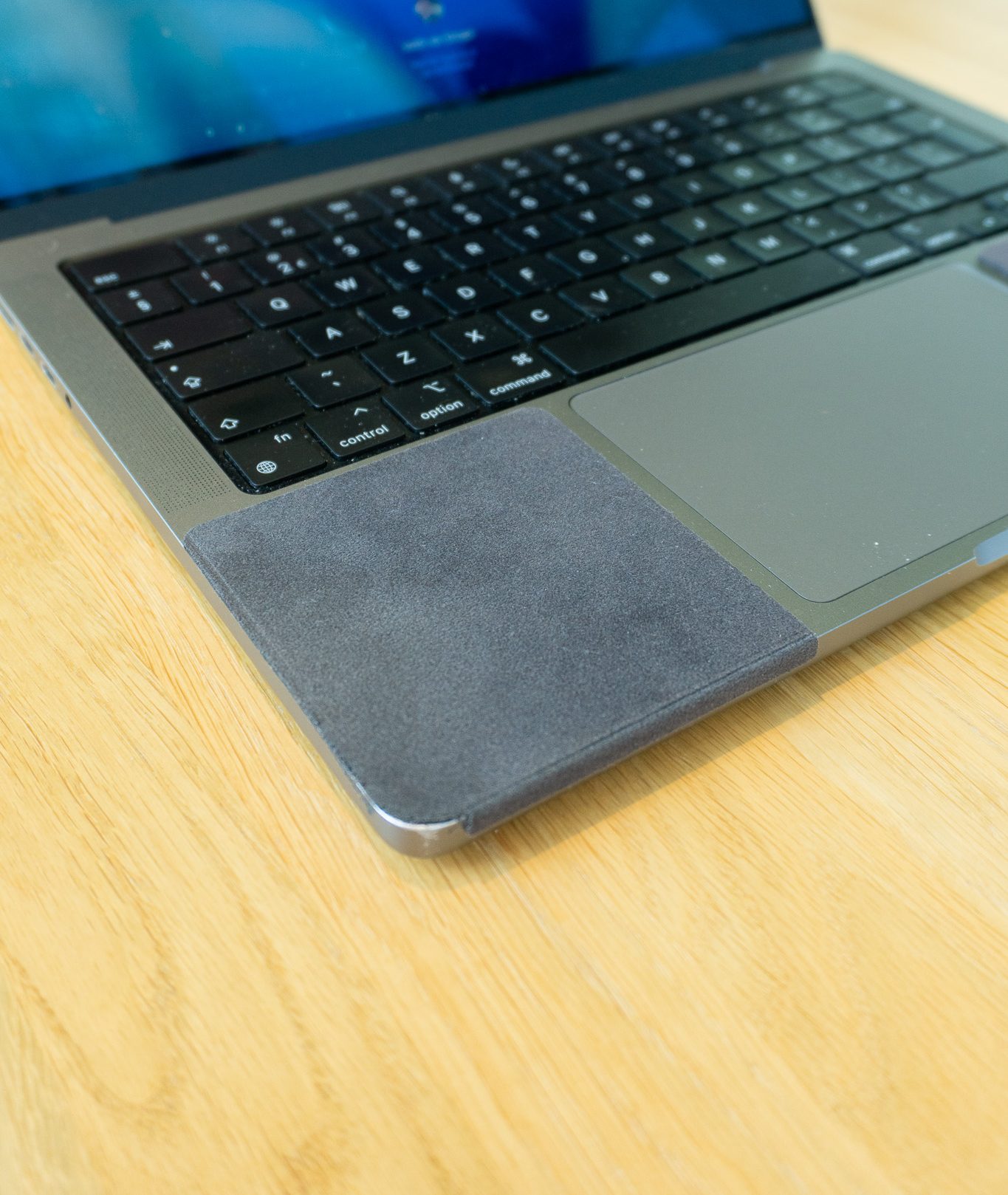
This is the area people overlook. If you wear a watch, the metal bracelet drags across the palm rest every time you type, and over months that leaves fine scratches exactly where your wrist rests. Rings and bracelets do the same. Taking your watch off all day is not practical, so the simple fix is a thin protective pad placed right where your wrist lands.
A palm rest pad like ChronoPad® sits flat against the surface, feels soft on your skin, and adds a barrier between your watch and the aluminium. It sticks on cleanly, lifts off without residue, and blends in with the MacBook finish, so you keep the same workflow while the palm rest stays protected.
Most of these take a few seconds a day or a one-time setup, and together they keep your MacBook looking like new for years.
Protect the palm rest where your watch sits. Shop ChronoPad® and keep your MacBook scratch-free while you work.

Read article


Read article
Coming soon
Leave your details and we will let you know as soon as the ChronoPad for the is available.
"*" indicates required fields