Your cart is empty
Add a ChronoPad to protect your MacBook and complete your setup.
Browse ChronoPads
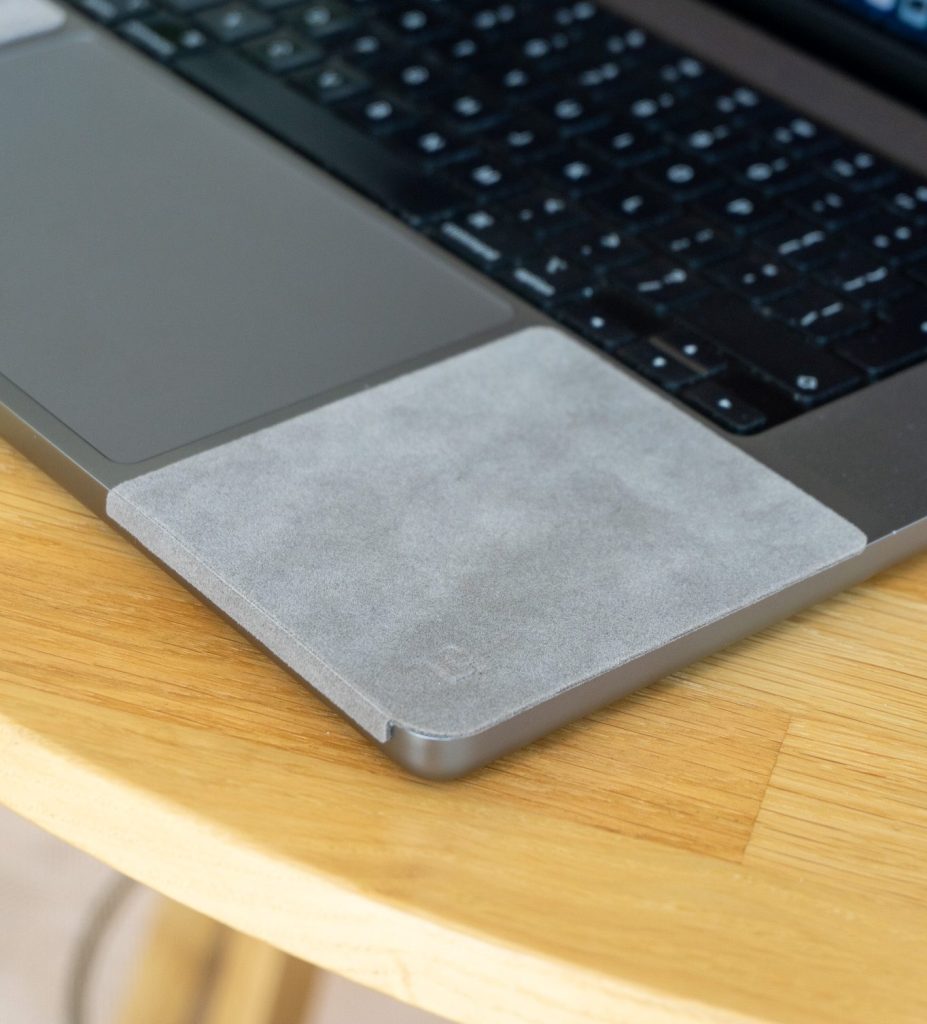
Every scratch on a MacBook palm rest is a physics lesson: the harder material wins, every time, with no exceptions. Once you see the numbers, you stop wondering whether your watch is the culprit and start wondering why the marks took this long to appear.

On the Mohs hardness scale, the aluminium alloy of a MacBook body sits around 2.8. A 316L stainless steel bracelet sits around 5.5, titanium around 6. That gap is enormous: a material can only be scratched by something harder than itself, so the bracelet cuts the laptop and the laptop cannot cut back. The one twist is gold. An 18k gold case is about as soft as the aluminium, which is why gold watch wearers tend to find marks on the watch rather than the MacBook.
It helps, briefly. Anodising grows an oxide ceramic skin on the aluminium that is genuinely hard, around 9 on the same scale. The catch is thickness: on consumer electronics that skin is roughly a hundredth of a millimetre. A bracelet edge pressing down concentrates force on a tiny point, punches through the skin, and from then on it is steel against soft metal. That is why palm rest wear starts as faint lines and accelerates: once the skin is open, every pass digs into bare aluminium.
| Material | Approx. Mohs hardness | At your desk |
|---|---|---|
| MacBook aluminium body | 2.8 | The victim |
| 18k gold case | 2.8 | Scratches together with the laptop |
| 316L steel bracelet | 5.5 | The everyday culprit |
| Titanium bracelet | 6 | Lighter, equally sharp-edged |
| Anodised oxide skin | 9 | Hard but only ±0.01 mm thin |
No amount of careful typing changes these numbers, and the palm rest takes the contact whether you think about it or not. The only variable you control is whether the two metals touch. A soft barrier in the contact zone means the hardness contest never happens: the bracelet lands on the pad, the pad shrugs it off, the aluminium underneath never enters the fight.

That is the entire idea behind ChronoPad®: a 3mm pad, colour-matched and cut to the millimetre for each MacBook size, that takes the steel so the aluminium does not have to. Scratches that are already there cannot be polished away, but the ones that have not happened yet are optional.
ChronoPad® is cut to the exact palm rest curve of the 13", 14", and 16" MacBook, so the 3mm pad sits flush rather than as a one-size rectangle. Check the fit for the 16" MacBook Pro if you run the largest case, or pick your size on the shop page above. The hardness gap holds regardless of finish: even a polished dress piece like a Patek Philippe still outranks anodised aluminium on the Mohs scale.

Not meaningfully. Most premium laptops use similar aluminium alloys with a comparable anodised finish. The MacBook just shows it more because the finish is so uniform.
A single light touch usually does nothing. Damage builds through repeated sliding contact under wrist pressure, which is exactly what typing produces for hours a day.
Because 18k gold is about as soft as the aluminium itself. Neither one wins clearly, which unfortunately means the watch picks up marks too.
The hardness gap is not negotiable. The contact is. Shop ChronoPad® and take the aluminium out of the fight.


Read article

Read article

Coming soon
Leave your details and we will let you know as soon as the ChronoPad for the is available.
"*" indicates required fields