Your cart is empty
Add a ChronoPad to protect your MacBook and complete your setup.
Browse ChronoPads

Watch people know the ritual. You sit down at your laptop, feel the clasp touch the palm rest, and either take the watch off or spend the afternoon typing with your wrist floating. Neither is a solution. Here is a desk setup that lets you keep the watch on and the MacBook clean.
When bracelet meets palm rest, both sides lose. The steel scratches the aluminium, because steel is simply harder. And the aluminium edge wears the bracelet and clasp in return: hairline scratches on polished links and desk marks on the clasp are the watch-side cost of a laptop-heavy week. Anyone who has sent a bracelet in for refinishing knows that is not a cheap habit either.

A steel or titanium bracelet is the hardest case, but leather wearers are not free either: most leather straps carry a metal folding clasp underneath, exactly where the wrist meets the palm rest. Only rubber and fabric straps are genuinely gentle on the aluminium surface Apple tells you to treat carefully.
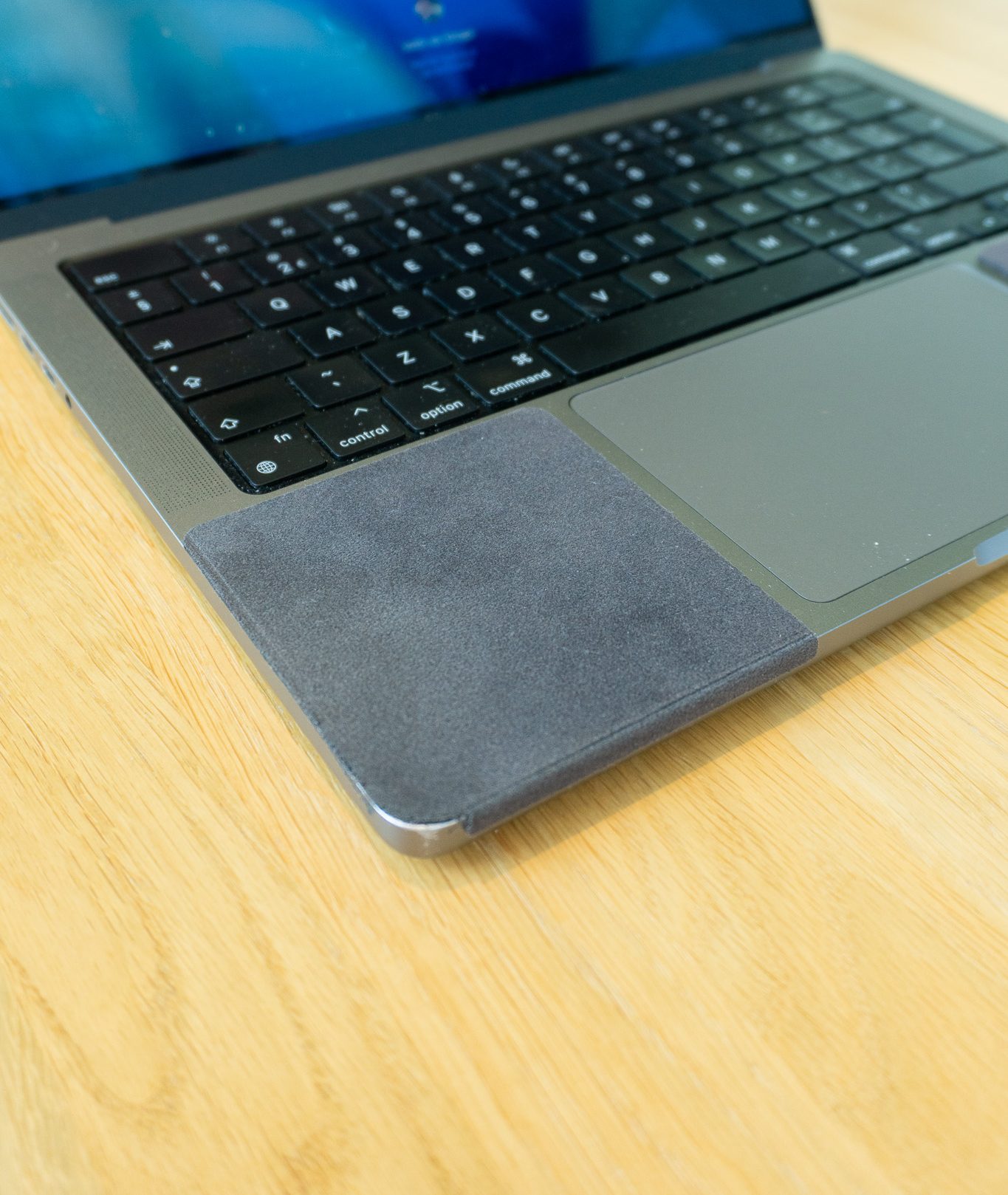
ChronoPad® was built as that first item: a 3mm pad shaped to the millimetre for each MacBook size, colour-matched to the finish, removable without residue. It also happens to feel softer under the wrist than bare metal on a long writing day. If you wear a specific brand, there are dedicated pages for Rolex, Omega, IWC, and Breitling wearers.

Each ChronoPad® is cut for one MacBook size, so it sits flush with the palm rest instead of overlapping the trackpad or hinge. Check the fit for the 16" MacBook Pro, the size most desk-bound typists run, or choose yours on the shop page above. A heavier chronograph such as a TAG Heuer only means faster wear without a barrier in place, not slower.

You can, but in practice nobody keeps it up. A physical barrier on the palm rest protects both surfaces without requiring you to remember anything.
No. Titanium is lighter, but it is still far harder than aluminium. The contact does the same damage.
The strap itself does not. Trapped dust and grit under any strap can still mark the surface, so keeping the palm rest clean matters regardless of what you wear.
Wear the watch. Keep the MacBook clean. Shop ChronoPad® and stop choosing between them.


Read article

Coming soon
Leave your details and we will let you know as soon as the ChronoPad for the is available.
"*" indicates required fields