Tu carrito está vacío
Añade un ChronoPad para proteger tu MacBook y completar tu espacio.
Ver ChronoPads

Quick answer
The best MacBook accessories are the ones that fix something you notice every day: too few ports, a screen that is too low, a cramped keyboard, a tangle of chargers, a bag that knocks the laptop around, and a palm rest that wears where your wrists sit. This guide sorts nine of them by the problem they solve.

Most “best of” lists give you forty products. This one gives you nine categories, the problem each one solves, and the one thing to check against your exact MacBook model before you buy, because the right dock for a MacBook Air M4 is not the right dock for a MacBook Pro M5 Max.
Half of the wrong accessory purchases come from not knowing which MacBook you have.
Open the Apple menu, choose About This Mac and note three things: the family (Air or Pro), the screen size and the chip. If you need help reading that window, see which MacBook do I have. Keep those three facts next to you while you read on.


A MacBook Air has two USB-C ports and MagSafe. A small hub adds HDMI, USB-A and a card reader for the price of a meal; a Thunderbolt dock turns the laptop into a desktop with one cable. A MacBook Pro 14″ or 16″ already has HDMI and an SD slot, so it often needs less than you think.
A laptop screen sits far below eye level. OSHA’s workstation guidance puts the top of the screen at or just below eye level, at roughly an arm’s length away, and Cornell’s laptop ergonomics guide recommends raising the laptop and using a separate keyboard and mouse for longer sessions.
Once the MacBook is raised, you need input at desk height. Apple’s Magic Keyboard and Magic Trackpad match the look; Logitech and Keychron offer more travel and shape.
A second screen is the single biggest productivity upgrade for a desk setup.
The palm rest is the part of a MacBook you touch most, and the part that ages first. A steel watch bracelet, a ring or the clasp of a band scratches the anodised aluminium next to the trackpad, and skin oils dull the finish over time.
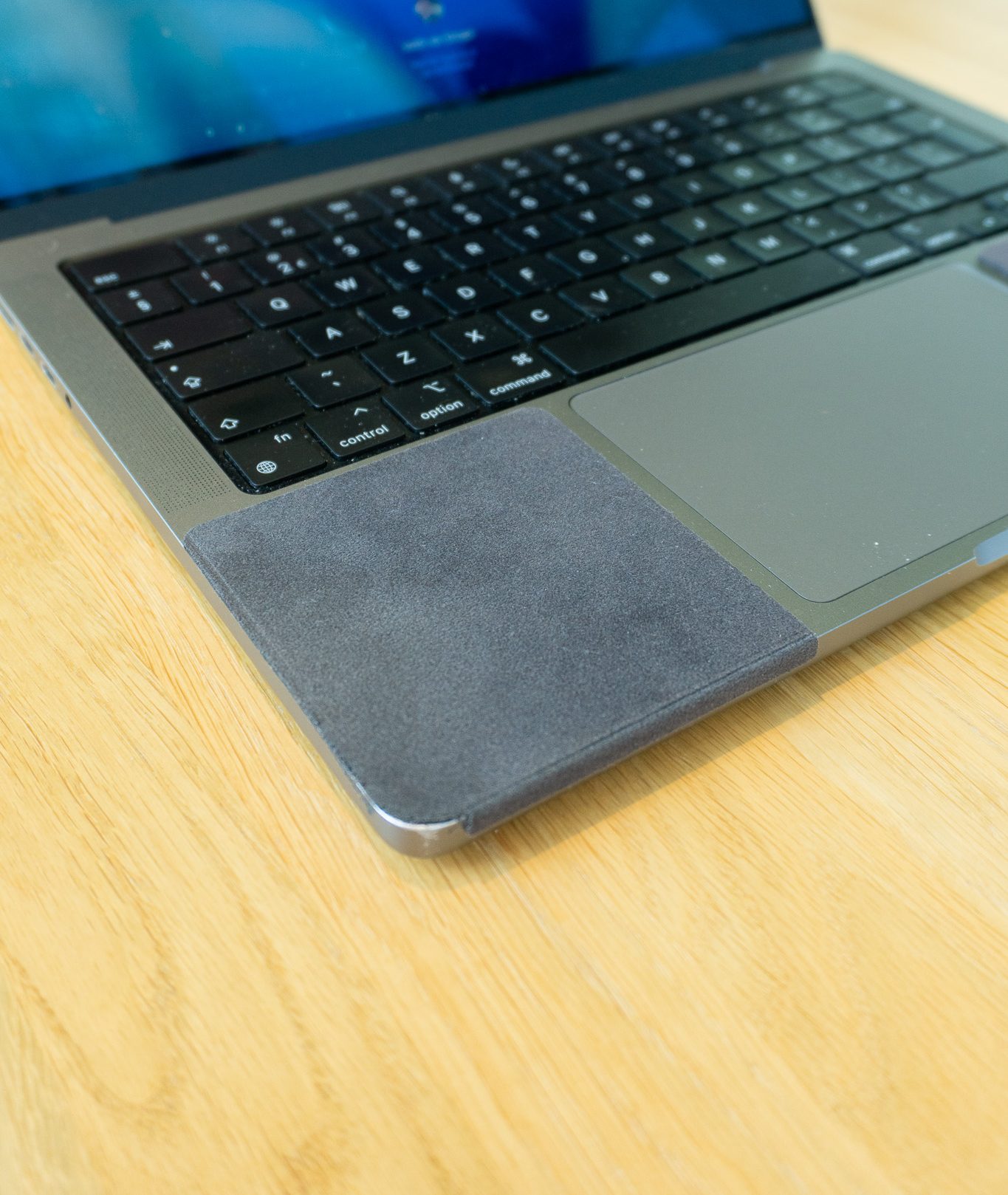
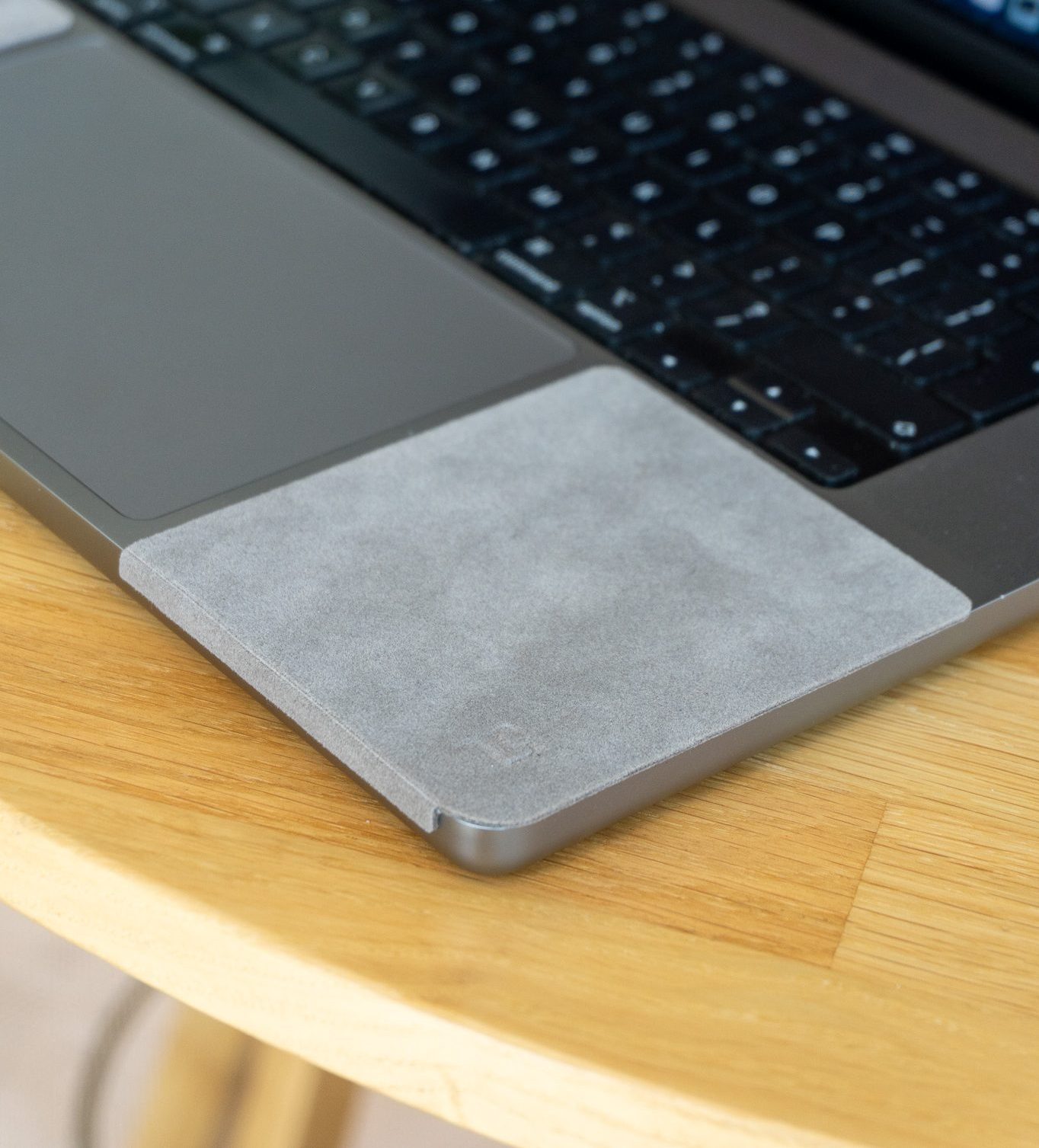
A ChronoPad® covers exactly that area with two 3 mm microfibre pads, shaped to the millimetre for the MacBook Air 13″, MacBook Pro 14″ or MacBook Pro 16″ and colour-matched to the deck, so the laptop looks the same and the palm rest stays the way it left the box.

ChronoPad® palm rest protector
Two 3 mm pads, shaped to the millimetre for your MacBook
Colour-matched, removable without residue. €32,95 per set.
Air 13″ setPro 14″ setPro 16″ setMost MacBook dents and corner dings happen in transit, not on the desk. A padded sleeve that fits the exact size is enough; a full hard-shell case adds weight and can trap grit against the aluminium.
A compact multi-port GaN charger can replace the MacBook brick, the iPhone plug and the Apple Watch puck.
A felt or leather desk mat keeps the keyboard and mouse area together, softens the sound and protects a wooden desk from the rubber feet of a stand. It also gives a watch something soft to rest on when you take it off.
A lint-free microfibre cloth and nothing more aggressive. Apple’s cleaning instructions allow a cloth lightly dampened with 70% isopropyl alcohol on hard surfaces and rule out bleach, sprays and abrasives.
Abrasive pads and “magic” sponges remove the anodised finish rather than the dirt.
USB-C hub or dock
FixesToo few ports
Check against your modelThunderbolt 4 or 5, Air or Pro
Laptop stand
FixesNeck strain
Check against your modelOnly with an external keyboard
Keyboard and mouse
FixesTyping posture
Check against your modelTouch ID needs Apple silicon
External display
FixesScreen space
Check against your modelNumber of displays per chip
Palm rest protector
FixesScratches and wear on the deck
Check against your modelScreen size and colour
Sleeve
FixesDings in transit
Check against your modelExact screen size
Multi-port charger
FixesCable clutter
Check against your modelWatch fast-charge cable
Desk mat
FixesNoise, desk wear
Check against your modelSize of your input area
Microfibre cloth
FixesSmudges
Check against your modelNo abrasives, no sprays
Key takeaway
A good accessory solves one problem you notice every day. If you cannot name the problem, you do not need the accessory.
Building a setup for someone else? Our gifts for watch collectors guide covers the desk wearer specifically, and wearing a watch at your desk shows how to protect both the watch and the laptop.
The accessory for the part you touch most
Two colour-matched 3 mm pads for the MacBook Air 13″, MacBook Pro 14″ or MacBook Pro 16″, €32,95 per set. Removable without residue.
Choose your sizeComprar ChronoPad®The ones that fix a daily problem: a USB-C hub or Thunderbolt dock for ports, a laptop stand with an external keyboard and mouse for posture, an external display for space, a sleeve for transport, a multi-port charger, and a palm rest protector if you wear a watch or jewellery while typing.
Only if your MacBook Pro has an M4 Pro, M4 Max or later Pro or Max chip, which have Thunderbolt 5. Other MacBooks have Thunderbolt 4 or Thunderbolt/USB 4, and a Thunderbolt 4 dock is enough.
Yes, if you also use an external keyboard and mouse. A stand raises the screen towards eye level, which ergonomics guidance from OSHA and Cornell recommends for longer sessions; without separate input it only moves the strain.
ChronoPad® is an independent brand and is not affiliated with, endorsed by or sponsored by Apple, Logitech, Keychron or any other brand mentioned.

Leer artículo

Leer artículo

Leer artículo
Próximamente
Déjanos tus datos y te avisaremos en cuanto el ChronoPad para el esté disponible.
"*" señala los campos obligatorios